


Most gaming Discord servers are a visual mess. You join a new community and right away you’re met with dozens of different channels, a chaotic welcome message, and people spamming memes in the main chat. If you want a group to stick together and actually use the server, it needs to look clean and work well. A bad layout will drive people away before they even plug in their mic or say hello.
Building a good looking space is about more than just picking a nice server icon. It takes intentional choices about layout, text readability, and permissions. Let’s break down exactly how you can tidy up your digital space and make it appealing for active members.
Structuring Channels for Usability
The biggest mistake server owners make is creating a channel for every possible topic under the sun. You don’t need twenty different voice channels if you only have fifteen active members on your roster. Start small and only add more when the demand is actually there. Group your channels into clear, logical categories. Have one category for general text chat, one for specific game resources, and one for voice communication.
Clutter is the enemy of a good looking server. When you drop massive walls of text into your main chat, it kills the conversation completely. If someone in your group needs help with a specific title, don’t paste a huge Palworld guide directly into the general channel. That pushes the active conversation off the screen. Put heavy reference material, tutorial links, and strategy docs into a dedicated resources channel instead. You can also pin important links to the top of a channel for easy access. Keep your main social hubs clear of dense clutter so people can actually read the conversations.
Creating Clean Channel Names
Discord defaults to standard lowercase text for all channel names. That works fine, but it looks a bit generic if you want a premium feel. You can upgrade the visual hierarchy of your channel list by adding custom text formatting and simple icons. A very common tactic in well managed servers is putting a specific emoji at the start of every channel name to show its exact purpose. You might use a controller icon for gaming talk, a wrench for server support, or a megaphone for official announcements.
To make category headers or certain channel titles stand out more, you can run your text through an online unicode text generator. This gives you access to bold, italic, or alternative block lettering that Discord supports natively within its interface. Just copy the output and paste it directly into the channel settings menu. You do need to keep it readable. If you use overly complex gothic fonts or strange cursive styles, mobile users might just see a row of empty boxes instead of text. Stick to simple bold or small caps for your main category headers. This creates clear visual dividers on the left sidebar without losing legibility.
Managing Roles and Name Colors
Roles dictate how your server population looks in the right sidebar. If everyone is lumped into a single offline or online list, the server looks unmoderated and chaotic. You want to create a clear hierarchy of roles and give them distinct, pleasing colors. Your admin or moderator team needs to stand out immediately. Give them a bright, recognizable color like red or gold so new members know exactly who to message if there is a problem.
Group similar roles together to create structure. You might have a core roster of daily players and a separate tag for weekend casuals. Go into the role settings and toggle the option to display them separately from online members. This creates a neat, organized roster list instead of a massive alphabetical jumble. You also want to limit the number of bright colors across the general user base. If every single member has a neon pink, bright green, or electric yellow name, the chat window becomes a big strain on the eyes. Use neutral tones for basic members and save the bright colors for leadership or specific alert roles.
Writing Your Welcome Message and Rules
The first thing a new user sees is your welcome screen. If they are greeted by an aggressive wall of text telling them all the ways they can get banned, they’ll probably mute the server right away. Your rules section should be clean, direct, and formatted nicely.
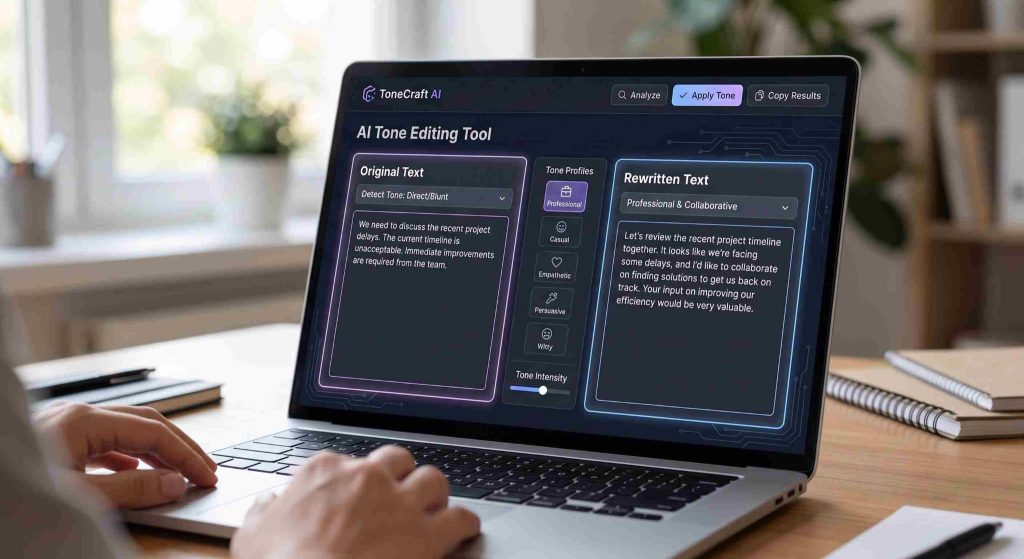
Use bold headers for individual rules and keep the text concise. You want to set firm boundaries without sounding like a tyrant. Sometimes server owners struggle to find the right balance between being welcoming and being strict with their moderation policies. If you tend to write aggressively, run your draft through an AI tone editing tool to soften the edges. This makes the text sound more like a professional community guideline and less like a personal threat. A clean and well formatted welcome channel sets the standard for the entire server. You can use a basic moderation bot to automatically assign a starter role once they click a checkmark to accept the rules. This keeps the rest of the server completely hidden until they actually agree to the guidelines.
Controlling Bot Spam
Bots are incredibly useful for moderation tasks, music playback, and event scheduling. They are also incredibly ugly when mismanaged. Nothing ruins the look of a sleek Discord server faster than a bot dumping massive embeds and command responses right in the middle of a normal conversation.
Create a dedicated text channel specifically for bot commands. Go into your channel permissions and deny bots the ability to send messages in your general chat. If people want to check their gaming stats, roll virtual dice, or queue up a music playlist, they can do it in the bot channel out of sight. Keep your primary text channels reserved strictly for actual human interaction. This single permission change really improves the readability of your server and makes the whole environment feel much more organized.
Pruning Inactive Channels
A server is a living thing and needs regular maintenance to stay looking sharp. Over time, groups naturally shift their focus from one game to another. When a specific game channel hasn’t seen a new message in three months, it’s time to get rid of it.
Leaving dead channels open makes the server look abandoned. It clutters up the sidebar and forces members to scroll past graveyards of old text just to find the active discussions. Make it a habit to audit your channel list every few months. Archive any important information, take down the dead channels, and condense the remaining topics. Keeping a tight, focused list of active channels makes sure your Discord always looks busy and relevant.